Best Streaming Devices for Sports 2026: Speed, Specs, and Stadium Atmosphere
You wouldn't put cheap tires on a Ferrari. So why are you watching a 4K HDR Premier League broadcast on a slow, chunky Smart TV interface from 2019?
The "Smart" in your Smart TV is usually an afterthought. Manufacturers put cheap processors in TVs to keep costs down. The result? Laggy menus, buffering streams, and apps that crash right when the penalty kick is taken.
To experience sports the way broadcasters intended—at 60 frames per second (fps), in 4K HDR, with zero navigational lag—you need a dedicated streaming device.
We tested the top contenders of 2026. We ran them through the "Sunday Simulation" (4 apps open, rapid switching, 4K stream decoding). Here are the winners.
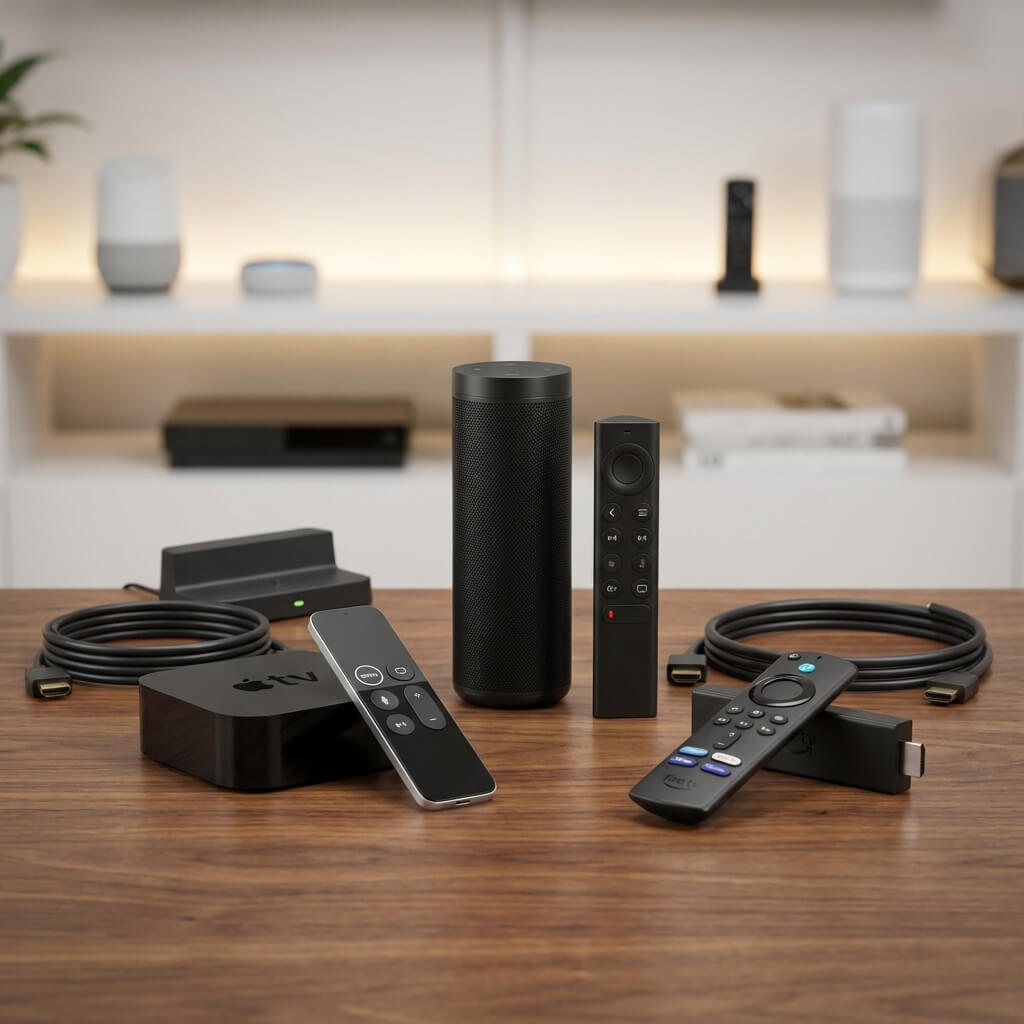
The Gold Standard: Apple TV 4K (3rd Gen / 2026 Refresh)
The "It Just Works" Beast
- Price: $129 (Wi-Fi) / $149 (Ethernet)
- Processor: A15 Bionic (The same chip in the iPhone 13 Pro). It is overkill for streaming, which makes it perfect.
- OS: tvOS 19.
Why it wins for Sports:
- Frame Rate Matching: Apple TV is the king of handling European (50Hz) vs US (60Hz) content. Most devices stutter when playing UK sports in the US. Apple TV automatically switches your TV's refresh rate to match the content. Result: Buttery smooth ball motion.
- Multiview: Native support for MLS, MLB, and F1 Pro MultiView apps. The processor can decode 4 HD streams simultaneously without heating up.
- The UI: No ads. No lag. You click ESPN, it opens instantly.
The Downside:
- Sideloading: You cannot install custom APKs (like TiviMate). You are locked into the App Store. For legal apps (Peacock, Sky, DAZN), it is perfect. For IPTV power users, it’s restrictive (unless you use Snappier or iProTV).
Score: 9.5/10 (The Best for 99% of People)
The Power User Choice: NVIDIA Shield TV Pro
The "Upscaling Magician"
- Price: $199
- Processor: Tegra X1+
- OS: Android TV 14.
Why it wins for Sports:
- AI Upscaling: This is its killer feature. It uses Artificial Intelligence to sharpen 720p/1080p content to near-4K quality. Since many sports broadcasts (like ESPN+) are still stuck in 720p, the Shield makes them look noticeably better on a big 4K TV.
- Sideloading Freedom: It runs Android. You can install TiviMate, Kodi, Sparkle TV, or any ad-blocker you want. It is the ultimate device for StreamElite users.
- Gigabit Ethernet: Essential for playing high-bitrate local files or uncompressed streams.
The Downside:
- Age: The hardware hasn't seen a massive refresh in years. It’s still powerful, but pricey for older silicon.
Score: 9.0/10 (The King of IPTV)
The Budget King: Amazon Fire TV Stick 4K Max (2nd Gen)
The "Bang for Buck" Champion
- Price: $59.99 (Often on sale for $39).
- Processor: Quad-core 2.0GHz.
- OS: Fire OS (Android based).
Why it wins for Sports:
- Wi-Fi 6E: It is the first stick to support Wi-Fi 6E. If you have a modern router, this stick pulls wireless speeds that rival ethernet. No buffering.
- Performance: It is surprisingly snappy. Apps load fast. It handles 4K HDR10+ and Dolby Vision.
- Sideloading: Like the Shield, you can install custom Android apps (TiviMate) using the "Downloader" tool.
The Downside:
- Ads. The home screen is 50% advertisements for Amazon Prime shows.
- Storage: Only 16GB. Not enough for a huge app library.
Score: 8.5/10 (Unbeatable Value)
The "Ecosystem" Pick: Chromecast with Google TV (4K)
The "Clean Android" Experience
- Price: $49.99
- OS: Google TV.
Why it wins:
- Integration: If you live in the Google ecosystem (Pixel phone, Nest Audio), the casting integration is flawless. Cast a highlight from your phone to the TV instantly.
- Recommendation Engine: The "For You" tab actually aggregates sports well (e.g., showing you live YouTube TV games).
The Downside:
- Underpowered: It can feel sluggish compared to the Fire Stick 4K Max. Navigating heavy menus in 2026 feels a bit sticky.
Score: 7.5/10
Technical Comparison Matrix
| Feature | Apple TV 4K | Nvidia Shield Pro | Fire TV Stick 4K Max |
|---|---|---|---|
| Max Resolution | 4K HDR60 | 4K HDR60 | 4K HDR60 |
| Upscaling | Good | Excellent (AI) | Basic |
| Ethernet | Gigabit (Included) | Gigabit (Included) | Via Adapter (Slow) |
| Sideloading | ❌ No | ✅ Yes | ✅ Yes |
| Multi-View | ✅ Great | ✅ Good (App dependent) | ❌ CPU Limited |
| Price | $$$ | $$$$ | $ |
Final Recommendation: Which One Should You Buy?
Scenario A: "I just want to watch Sky Sports/Peacock/ESPN legal apps and I have an iPhone." 👉 Buy the Apple TV 4K. It offers the most premium, frustration-free experience. The frame-rate matching ensures European football looks fluid.
Scenario B: "I use StreamElite / IPTV Services and want custom apps like TiviMate." 👉 Buy the Nvidia Shield TV Pro. The AI upscaling will make your 1080p IPTV streams look crisp on your 65" TV, and TiviMate runs faster on Shield than on any other device.
Scenario C: "I need a cheap device for the bedroom TV or travel." 👉 Buy the Fire TV Stick 4K Max. It fits in your pocket, costs "pizza money," and supports VPNs natively for hotel usage.
Scenario D: "I'm using the Smart TV apps built into my LG/Samsung TV." 👉 Stop. Do yourself a favor and upgrade. The external processor handles motion handling and buffering significantly better than your TV's internal chip.